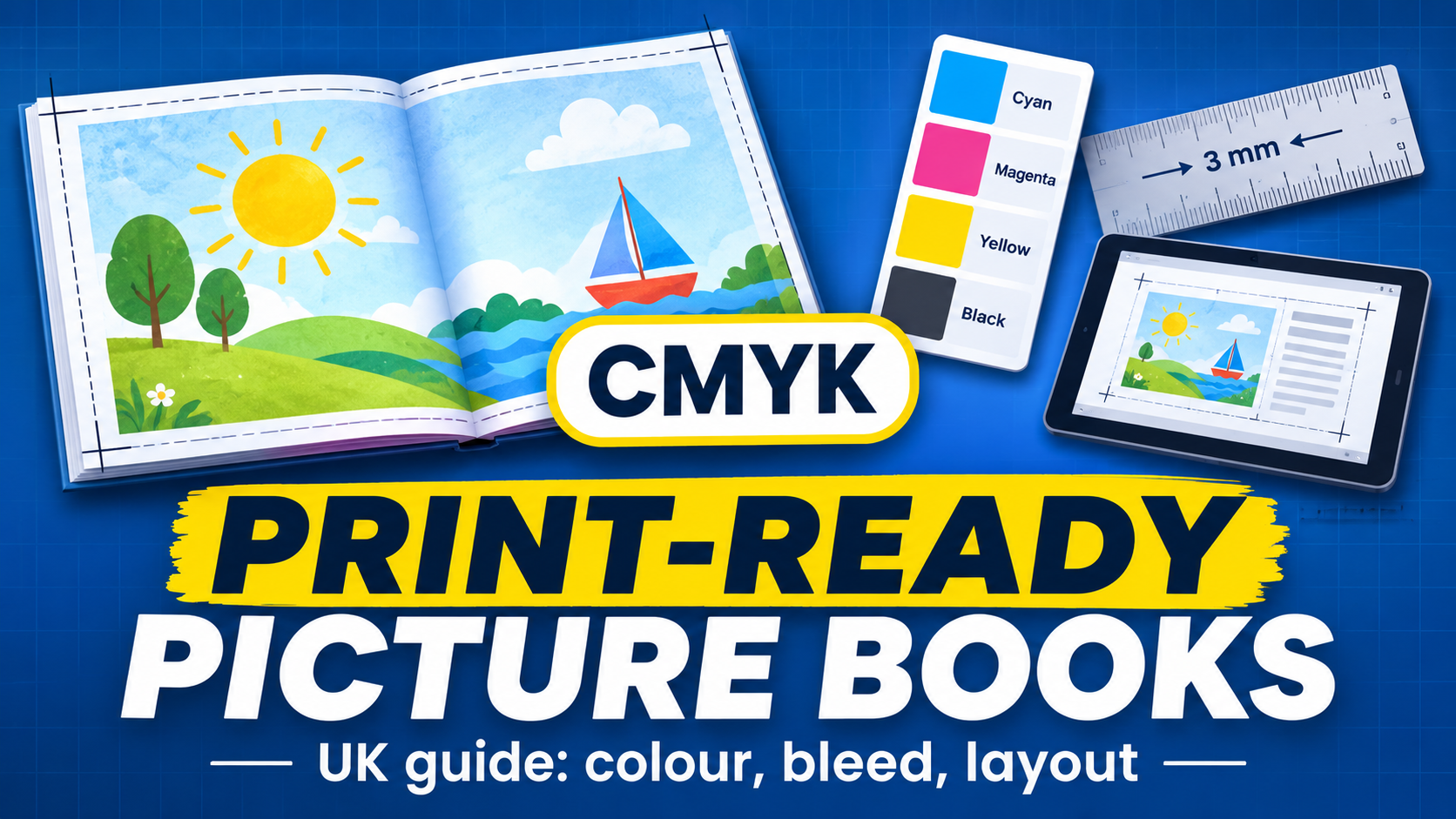
Children’s and illustrated titles ask more of book publishing UK teams than text-led books do. Colour has to survive conversion to ink, and images have to hold up at print size. Artwork also has to reach the trimmed edge without a white line or lost detail in the spine. This guide covers colour profiles, image resolution, bleed, page counts, printing options and layout, with a short spec checklist and the common mistakes. It is written for publishers and author-publishers.
What Makes Illustrated and Children’s Books Different
A novel is mostly type on a single colour. A picture book is mostly images, printed in colour on every page, with text fitted around them. That changes the files, the proofing and the price.
| Area | Text-led title | Children’s or illustrated title |
|---|---|---|
| Colour | Black text, colour cover only | Full colour inside, so profile and ink limits matter on every page |
| Images | Few, often placed inline | Many, often running to the page edge |
| Page count | Flexible | Fixed by binding; 32 pages is the usual picture book length |
| Layout | Type on a grid | Text placed around artwork, across spreads and away from the gutter |
| Proofing | Page proofs are usually enough | A printed colour proof is worth ordering |
| Cost drivers | Page count and quantity | Colour pages, paper weight, size, binding and quantity |
Colour: From Screen to Printed Page
Illustrators usually work in RGB, the colour space of screens. Presses print in CMYK inks, which cannot reproduce every bright blue, green or orange an RGB file can show. Convert early, so that any shift appears while you can still adjust the artwork.
- Ask your printer which colour profile and paper type to target, and use that profile. Printers in the UK and Europe often name a FOGRA profile for coated or uncoated paper.
- Convert artwork from RGB to CMYK before final layout, then review the result against the original.
- Keep total ink coverage within the printer’s limit. One large UK book printer specifies 300% on coated stock and 240% on uncoated stock.
- Follow the printer’s guidance for large black areas, and keep small black text as a single black ink.
- Order a printed colour proof for colour-critical titles, because a screen does not show how ink sits on paper.
- Compare paper samples. The same artwork looks softer on uncoated paper than on coated.
Image Resolution, Bleed, Trim and Safe Margins
These figures are common UK requirements, not a standard. The printer’s own artwork guide always wins.
| Item | Common requirement | Note |
|---|---|---|
| Image resolution | 300 ppi at final printed size | Enlarging a small image does not add detail |
| Colour space | CMYK, in the printer’s named profile | Convert RGB and spot colours as instructed |
| Bleed | 3 mm on edges where artwork runs to the trim | Case-bound hardbacks often need more; one major UK printer specifies 12 mm |
| Safe margin | Text and key detail about 5 to 6 mm inside the trim | Allow more near the gutter |
| Total ink | The printer’s limit, such as 300% coated and 240% uncoated | Check each paper type |
| Pages | Single pages in reading order, not spreads, unless told otherwise | Add crop marks if requested |
| Fonts and format | PDF with fonts embedded | Some printers ask for PDF/X |
Spreads need extra care. Faces, text and key objects should not sit in the gutter, where the fold or binding can swallow them. Each page’s bleed must also suit the binding. Our graphics and artwork services handle image clean-up and conversion before layout.
Page Counts, Binding and Printing Options
Page count follows binding. Thirty-two pages is the common trade length for picture books, with 24 and 40 as usual variants. One UK printer notes that sewn books are built from folded sheets, so their page counts must be multiples of 4. It adds that sewn hardbacks start at 36 pages. Glued bindings only need an even count. Ask for the printer’s rules before you design the layout, because added or missing pages change where artwork falls.
| Option | Suits | Watch for |
|---|---|---|
| Digital short-run printing | Small runs, test editions and author-publishers | Paper and finish choices vary, so compare proofs |
| Offset litho | Larger runs and colour-critical titles | Higher set-up cost, so quantity drives the unit price |
| Print on demand | Backlist and low stock risk | Fixed trim sizes and paper options |
| Case-bound hardback | Gift and library picture books | More bleed, and sewn or glued affects page count |
| Paperback | Lower price and weight | Page count and spine width rules |
Price depends mainly on the number of colour pages, paper weight, finished size, binding and quantity. Get quotes for the same specification from each printer before you compare them.
Layout for Picture Books and Illustrated Titles
Good layout keeps text readable against artwork and keeps both clear of the gutter and the trim. Children’s book typesetting is closer to design than to straight composition, because each spread is planned separately.
- Place text on calm areas of the image, or on a tint panel, so contrast holds in print
- Use a generous, consistent type size and check it on a printed proof at actual size
- Keep faces, hands and key objects out of the gutter on spreads
- Set a grid so repeating elements sit in the same place on every page
- Plan page turns so reveals work when the book is read aloud
- Keep text as live text, not baked into the image, if an ebook edition is planned
Our book formatting and layout design and typesetting services set margins, trim size and bleed to your printer’s specification.
Spec Checklist Before You Send Files
- Trim size and page count confirmed with the printer
- Page count fits the binding rules
- Images at about 300 ppi at final printed size
- Artwork converted to CMYK in the printer’s named profile
- Total ink within the printer’s limit
- 3 mm bleed, or the printer’s figure, on every edge that bleeds
- Text and key detail inside the safe margin, with the gutter checked on every spread
- Fonts embedded and the PDF exported to the printer’s preset
- Single pages in reading order, with crop marks if requested
- Printed proof approved before the full run
Common Mistakes in Illustrated Book Files
| Mistake | What happens | Fix |
|---|---|---|
| Artwork left in RGB | Colours shift at print and bright tones look duller | Convert early and approve a printed proof |
| Low-resolution images | Soft or pixelated pictures | Request originals at print size before layout |
| No bleed on edge-to-edge art | White slivers appear after trimming | Extend artwork by 3 mm or the printer’s figure |
| Text too close to the trim | Words are clipped | Keep text inside the safe margin |
| Faces or text in the gutter | Detail disappears into the fold | Move content and check every spread |
| Page count that ignores the binding | The printer rejects the file or adds blank pages | Confirm binding rules before layout |
| Changing artwork after proof approval | Extra cost and delay | Lock artwork before final proofs |
Illustrated Ebooks in Brief
Illustrated ebooks usually need a fixed-layout EPUB, which keeps each page’s image and text in place. A reflowable EPUB suits text-led books. Keep text as live text, add alt text for illustrations and test on real devices. For more on fixed-layout builds, see our EPUB conversion services. Ebooks sold to EU customers also fall under accessibility rules, which our accessibility deadlines guide explains. If you are deciding what to buy in for an illustrated list, read what UK book publishers outsource.
FAQs
What is the standard page count for a children’s picture book in the UK?
Thirty-two pages is the common trade length, with 24 and 40 as usual variants. The exact count depends on binding: sewn books need multiples of 4, while glued bindings need an even count. Confirm the rules with your printer before you finalise the layout.
What bleed do UK printers need for a children’s book?
Printers commonly ask for 3 mm of bleed on edges where artwork runs to the trim. Case-bound hardbacks often need more, and one major UK book printer specifies 12 mm for hardbacks. Check your printer’s current artwork guide, because requirements differ by printer and binding.
Should I supply illustrations in RGB or CMYK?
Supply CMYK in the profile your printer names, or agree in advance that the printer or designer will convert. RGB artwork shifts when converted, so review the converted result and approve a printed proof before the full run. Doing this early leaves time to adjust colours.
What resolution do illustrations need for print?
Aim for 300 ppi at the final printed size. A small image stretched larger does not gain detail, so ask illustrators for files at print size and replace low-resolution images before layout starts. Line art can need more, so ask your printer.
Do I need a separate file for the ebook?
Usually yes. A print PDF is built for fixed trim, bleed and CMYK, while an ebook needs RGB images, live text and metadata. Illustrated titles often use fixed-layout EPUB, which keeps page positions, but it needs its own build and testing.
Settle the Specification Before the Artwork Is Final
Most problems with illustrated books are cheaper to prevent than to fix. Agree trim size, page count, binding and colour profile with the printer first, then brief the illustrator and the designer against them. A printed proof before the full run catches what screens cannot.
Talk to Our Layout Team About Your Illustrated Title
Send us your trim size, page count and artwork details. We prepare print-ready layouts to your printer’s specification, and we can start with a free sample.